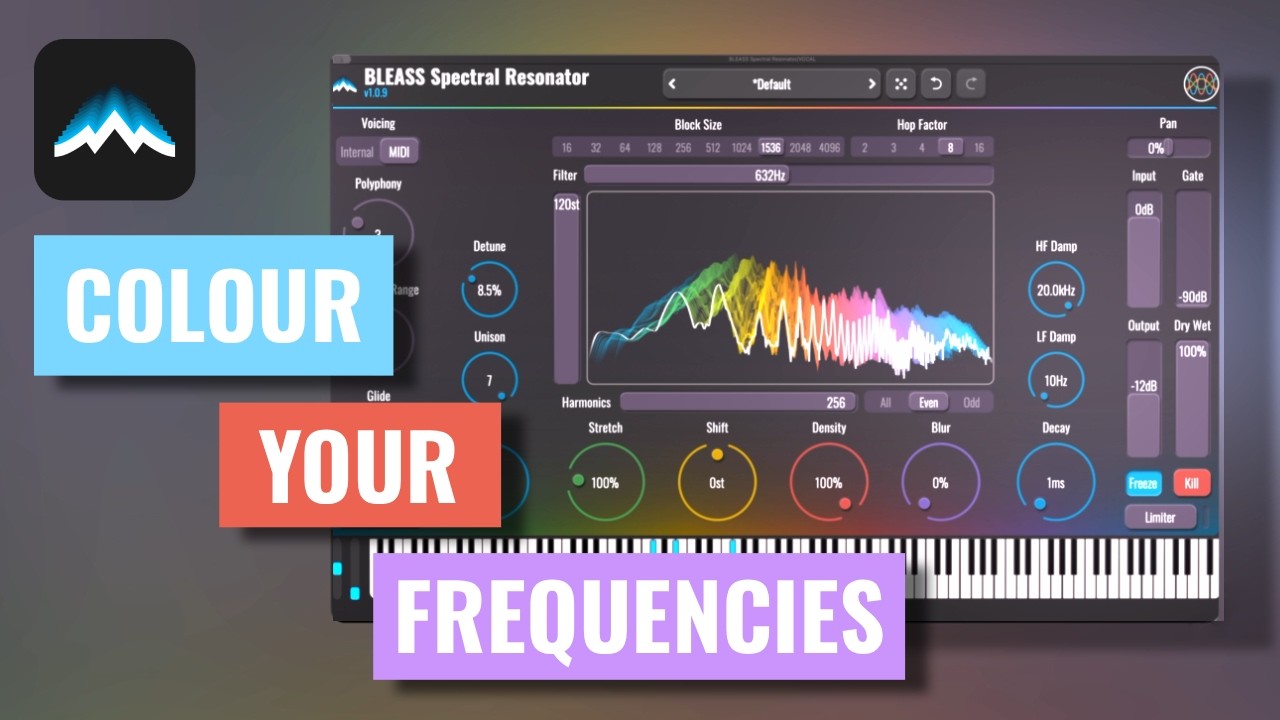

BLEASS Spectral Resonator conjures an iridescent palette of resonating harmonics that add colour, texture and contrast to your audio. Whatever the input, the results are rich, expressive, and deeply enchanting.
The sound produced by BLEASS Spectral Resonator is not dissimilar to a vocoder, but extends beyond the confines of that classic effect into the realms of harmonic delays and tuned reverberations. BLEASS Spectral Resonator converts your signal into the spectral domain, where it applies a range of creative effects. The spectrum can be shifted, blurred, and destructured, with decaying tails and harmonic filtering. When blended with the source signal, this adds a controllable layer of pitch and timbre to your sound. Alternatively, replace the source entirely and let BLEASS Spectral Resonator take over with its rich, complex textures at full wet.
An internal generator, capable of producing up-to four tunable voices, can be used as the basis of the resonators’ frequencies. Alternatively, these pitches can be derived from incoming MIDI notes, making it possible to play BLEASS Spectral Resonator as though it were a synth, with up-to eight voice polyphony, glide and pitch-bend. The plugin then generates up-to 256 harmonics/partials from each of those base resonators, with each harmonic contributing its own overtone resonances to the overall effect.
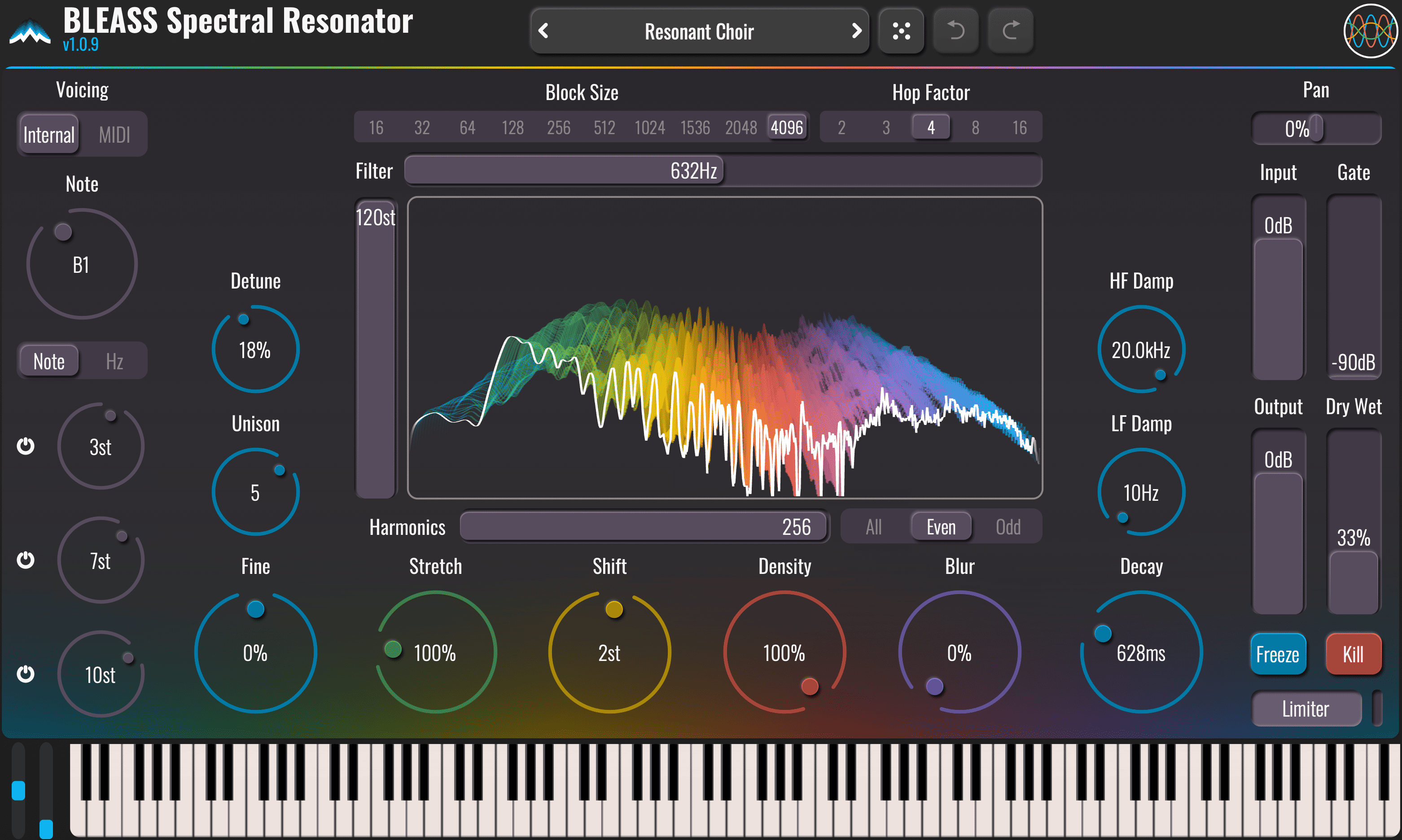
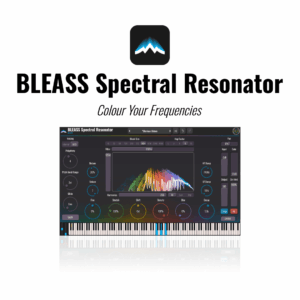
BLEASS Spectral Resonator enables deep control over the sounds being produced, and does so via a user interface that’s as easy to master as it is beautiful to behold. The principal resonator settings are governed by intuitive rotary controls, while the gorgeous spectrum analysis display doubles-up as a dynamic means of controlling the integrated filter. This filter operates in the spectral domain and lets you select the frequency band sent to the resonator.
Beyond MIDI control, the plugin also features a Freeze button, which holds the resonators in their current state, and a Kill button, that immediately stops any hanging resonances.
BLEASS Spectral Resonator opens up entirely new possibilities for harmonic, rhythmic, and dynamic sound design, even with inharmonic or atonal sources such as drums.
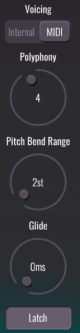
VOICING
Internal / MIDI Selector: Switches between using the internal generator or incoming MIDI notes for controlling the fundamental frequencies of the plugin’s resonators.
INTERNAL MODE
Note / Frequency
Sets the fundamental frequency of the first internal voice. Use the Note / Hz selector below the dial to choose whether to enter the fundamental frequency as a note or a frequency.
Second, Third and Fourth Voice Pitch
The controls below the Note / Frequency dial allow additional resonator voices to be defined. Use the power buttons to enable/disable a voice. The fundamental frequencies of each voice is set as a semitone offset from the first voice’s note/frequency.
MIDI MODE
Polyphony
Determines the maximum number of resonator voices that will be generated from incoming MIDI notes. When the number of simultaneous incoming MIDI notes exceeds the Polyphony value, the resonator controlled by the oldest MIDI note is stopped and reassigned to the newest MIDI note, much like how a synth will “steal” notes when its polyphony is exceeded.
Pitch Bend Range
Determines the maximum pitch bend, in semitones, that will be applied by incoming MIDI Pitch Bend messages.
Glide
Defines the time taken, in milliseconds, to move from one note to another when a new note is played. Set to 0ms when you do not want a glide effect.
Latch
When active, resonator voices will continue to sound after their MIDI notes are released. Latched voices stop when new MIDI notes are played.

SPECTRAL PROCESSING CONFIGURATION
BLEASS Spectral Resonator’s processing requires the incoming time-domain audio data to be converted into spectral data, which it does using the well-known FFT, or Fast Fourier Transform, signal analysis technique. FFT operates on chunks of audio, which need to be accumulated before the transform can be applied.
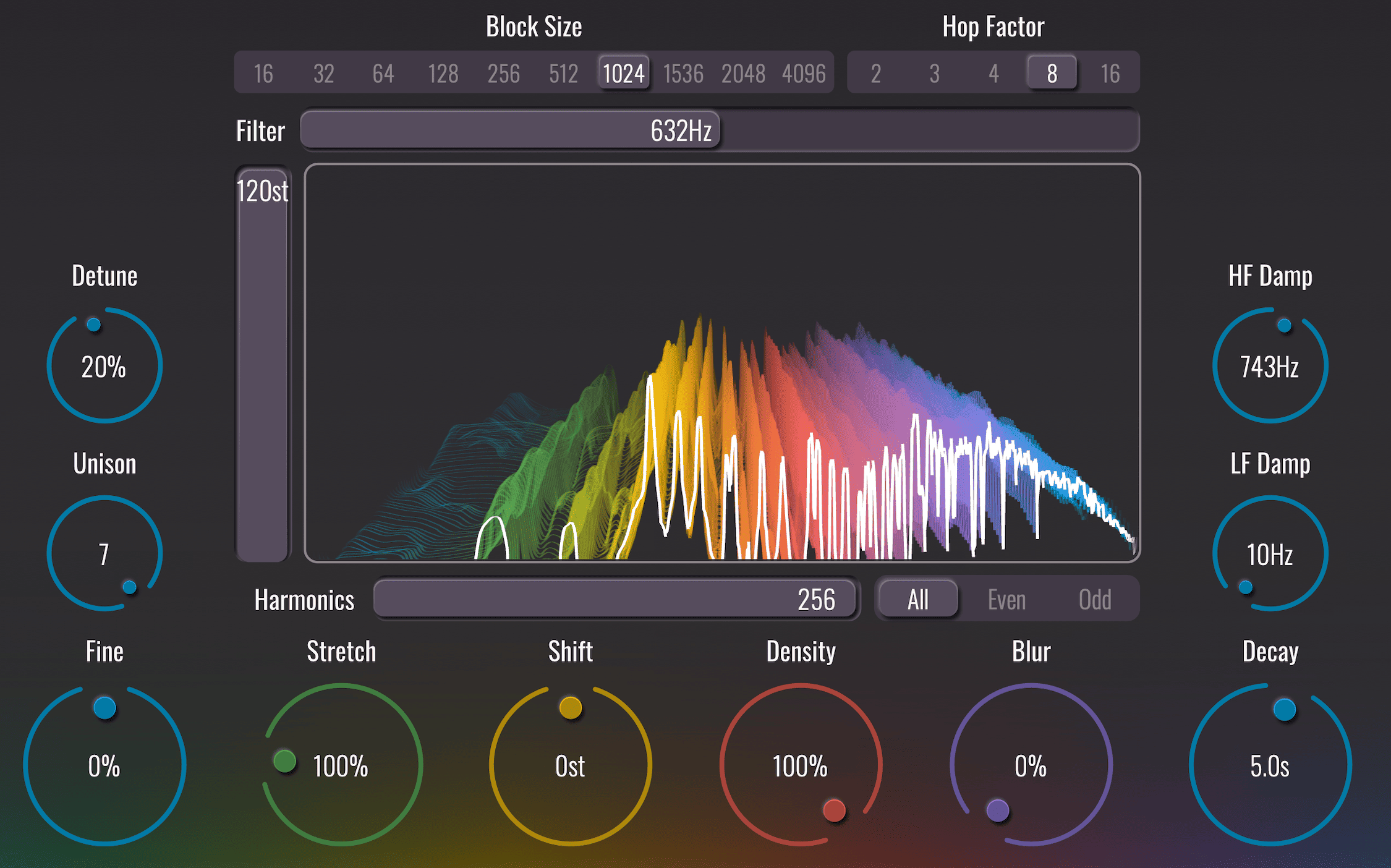
BLOCK SIZE
The Block Size, determines the size, in samples, of these chunks.
Increasing block size may introduce latency. This is not related to CPU performance, but to the need for the plugin to accumulate audio for analysis, which inherently adds delay. In live situations, it is therefore safer to keep the block size low.
HOP FACTOR
In order to ensure smooth-sounding results, BLEASS Spectral Resonator overlaps the audio chunks that are accumulated prior to processing. The Hop Factor determines how many such overlaps are used.
For example, with a Block Size of 1024 and a Hop Factor of 4, the rate at which chunks will be despatched for spectral processing is 1024 / 4 = 256 samples. Put another way, a 1024 sample chunk of audio will be sent every 256 samples, with successive chunks overlapping.
Higher Hop Factors deliver smoother-sounding results, but also increase the plugin’s resource usage.
SPECTRAL FILTER
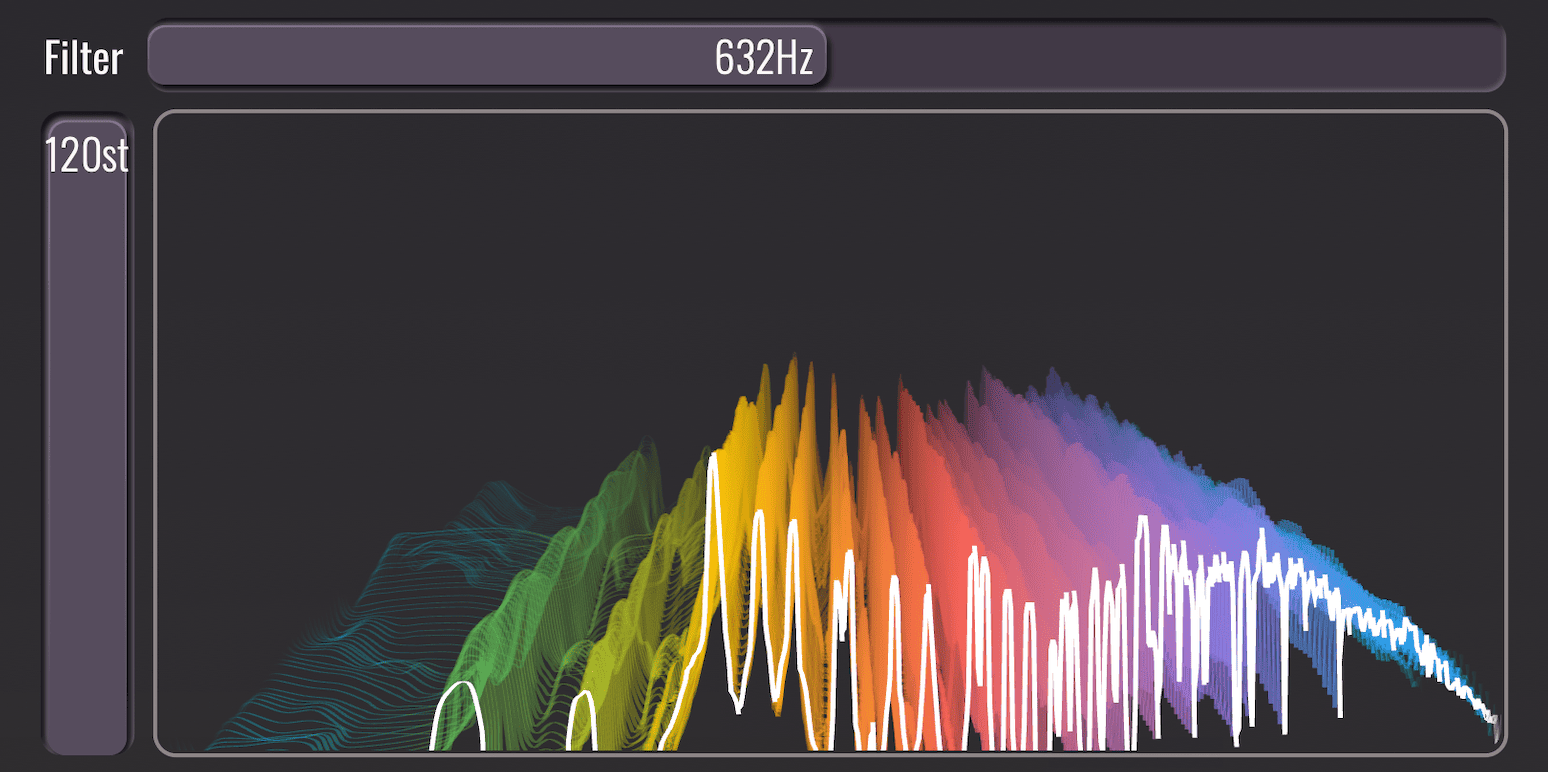
The Spectral Filter applies a band-pass filter to the spectral data, allowing you to control the range of frequencies that will be used.
FILTER FREQUENCY
Sets the centre frequency of the filter.
FILTER BANDWIDTH
Sets the bandwidth, or frequency range, of the filter in semitones.
RAINBOW SPECTROGRAM
The 3D spectrogram visualises resonator activity over time and acts as an XYZ axis reference. The visualisation is also interactive, providing another means to control the Spectral Filter: dragging horizontally controls Filter Frequency, and dragging vertically controls the Filter Bandwidth.
HARMONICS
The Harmonics section is the heart of the resonator engine. It gives you deep control over the harmonic content, tuning, density, and character of the resonances generated from your input signal.
HARMONICS COUNT
Sets the number of harmonics generated by each voice. Greater numbers of harmonics results in more complex timbres being created.
HARMONICS FILTER
Determines which harmonics are produced, thereby impacting the timbre of the resonance.
- All – All harmonics are produced. This creates the richest/most complex timbres
- Even – Only even-numbered harmonics are produced (2nd, 4th, 6th, etc.), resulting in a smoother, more unified harmonic structure.
- Odd – Only odd-numbered harmonics are produced (3rd, 5th, 7th, etc.), creating a more complex and pronounced harmonic structure.
FINE
Modifies the tuning of the resonator voices by +/- 1 semitone.
UNISON
Determines the number of sub-voices per resonator voice, up to 7.
Values above 1 enable the Detune control for unison-style spreading.
Detune: Detunes the sub-voices of a resonator, resulting in a thicker, richer tone. Only has an impact when Unison is set higher than 1.
STRETCH
Scales the interval between a resonator’s fundamental frequency and its harmonics.
A setting of 100% results in harmonics that follow the natural harmonic series (2x fundamental, 3x fundamental, etc.).
Values below 100% compress the spacing between harmonics, bringing them closer together and subtly thickening the sound.
This can make a tone feel denser or more vocal-like, as if formants are moving closer together. For example, a Stretch of 50% halves the interval.
Values above 100% expand the spacing between harmonics, spreading them further apart and creating a more open or hollow character.
This can make sounds feel more metallic or overtone-rich. For example, a Stretch of 200% doubles the interval.
SHIFT
Shifts the entire spectrum before it is processed by the resonator. Positive values move frequencies upward, while negative values move them downward. This behaves like a spectral frequency shifter and can produce formant-like effects.
DENSITY
Controls the proportion of spectral data used to excite the resonators.
At 100%, all spectral data is used, and so all resonator frequencies may be excited.
Reducing the Density value removes frequencies from the spectral data, causing fewer resonators to be excited at any time. This results in a constantly shifting pattern of resonances being produced, giving a dancing, scintillating flavour of effect.
BLUR
Blurs, or distorts the source spectral data, resulting in resonances that are less clearly tuned, and that sound more diffuse and reverb-like.
DECAY
Determines the overall duration of the generated resonances.
HF & LF Damp
HF Damp (High Frequency Damping)
Sets the frequency above which resonator decay durations are decreased.
LF Damp (Low Frequency Damping)
Sets the frequency below which resonator decay durations are decreased.
MIX
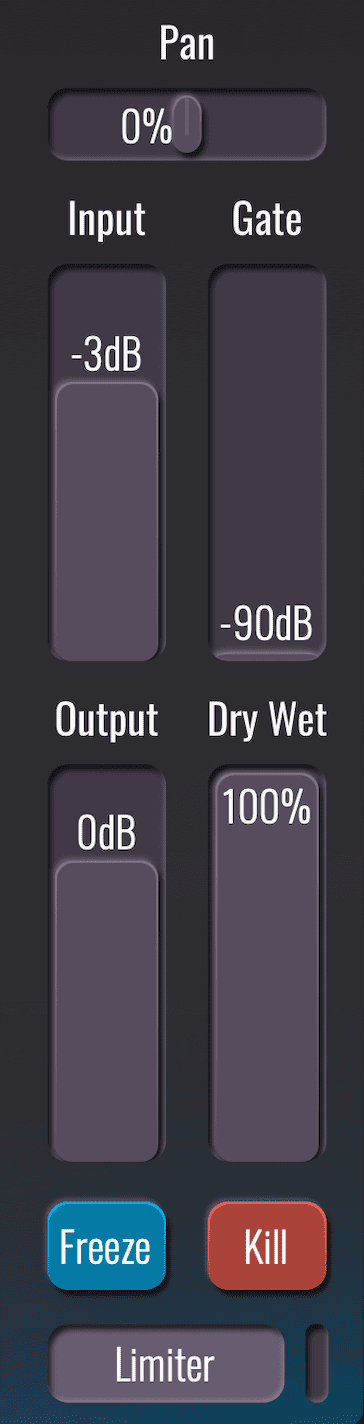
The BLEASS Spectral Resonator Mix section handles all input/output routing, levels, and global controls for the plugin.
PAN
Controls the left/right position of the source signal that’s sent to the resonator engine, and by extension controlling the left/right position of the resulting resonances.
INPUT
Sets the gain applied to the signal that’s fed to the resonator engine.
GATE
Applies a spectral gate to the input signal, allowing only frequencies above the threshold to pass.
The threshold is defined in dB at 1000 Hz, with an optimal -3 dB per octave slope for most signals.
OUTPUT
Sets the output gain applied to the resonator engine output.
DRY/WET
Sets the balance between the “dry” input signal and the “wet” processed signal.
FREEZE
Holds the current spectral data so that the plugin continues to produce the same resulting spectral frequencies.
KILL
Clears the current spectral data and stops all resonators.
LIMITER
Applies a 0dB limiter to the wet signal to protect your monitors from any unexpectedly loud signals that the plugin may produce. Adds 1ms of latency on top of any latency resulting from spectral processing.

TUTORIALS & REVIEWS: